


Dropship subcontractor does not have a route, the rule is now added within the Dropship route
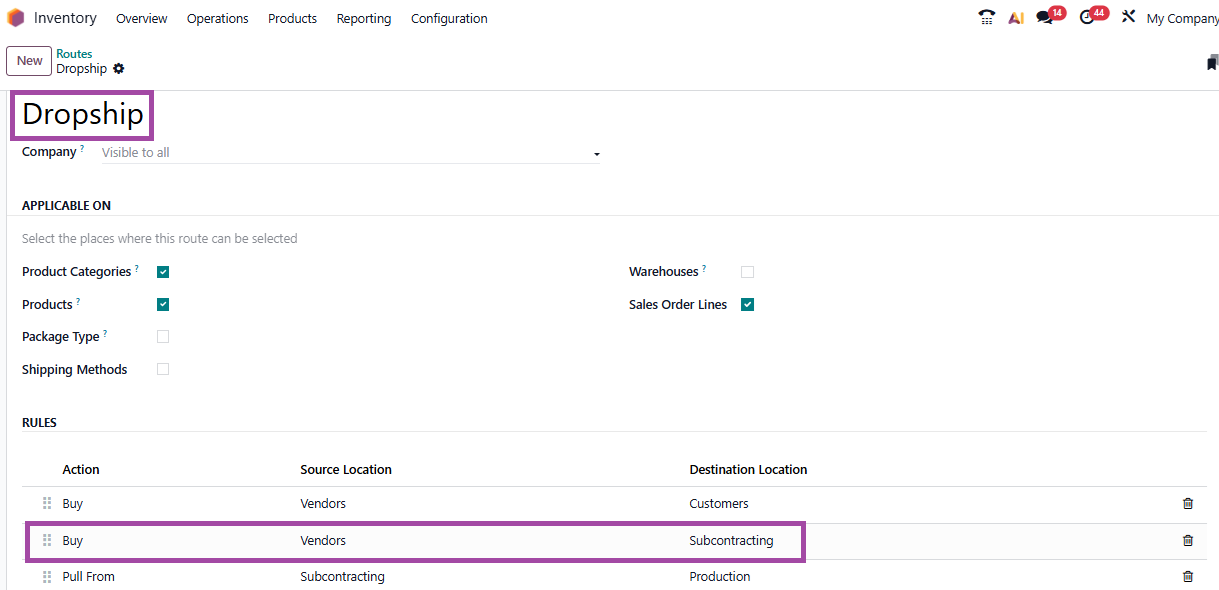
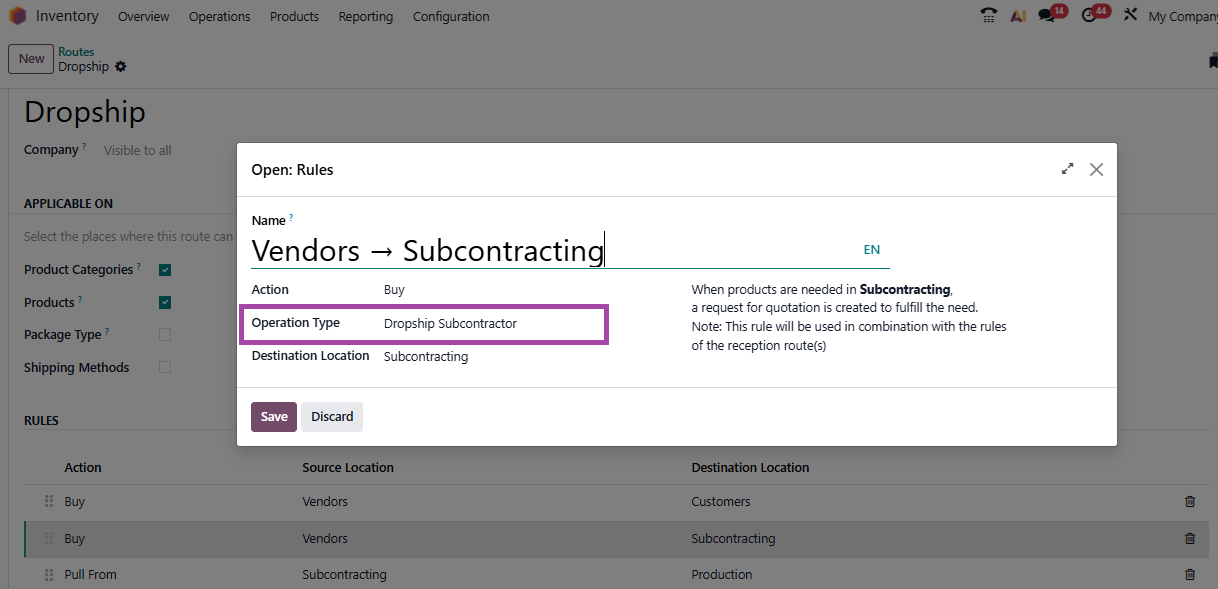
The rule would trigger a dropship Subcontractor inventory operation with source location vendor and destination location subcontracting.
On the product form inventory tab dropship need to be selected for Vendor to subcontracting route
The Dropship route is also missing. This appears to happen when I change the settings on my main warehouse to indicate that the warehouse does not manufacture products, which is true. The subcontractor manufactures products for us. Given that the documentation and slides do not discuss this at all, I would appreciate it if you could tell me why we need to indicate that warehouses that do not manufacture do manufacture and what other non-obvious steps need to be taken to get Dropship to Contractor to send products from a vendor to a subcontractor, and then the finished product to our warehouse.
You might want to enable the Dropship route from Settings > Inventory logistics section at the bottom of the page
While the manufacturing isn't physically in your WH, you own the manufacturing process, BoM, components et all. Hence the WH would need to be enabled for manufacturing. In case of multiple WHs, the locations on the routes might need to adjusted to reflect the flow corresponding to your physical flow of materials.
The below tutorials include the configurations required for subcontracting process and for the supplying components (either from your WH or from vendor)
https://www.odoo.com/slides/slide/basic-subcontracting-7130?fullscreen=1
https://www.odoo.com/slides/slide/resupply-subcontractor-7134?fullscreen=1#
https://www.odoo.com/slides/slide/subcontracting-dropshipping-2861?fullscreen=1#
Hope this helps address your question.