


Your button needs to open the Equipment List, filtered by the Customer.
Let's do this in three steps.
1. We first need a way to search Equipment by Customer.
Create your own custom View that inherits the Equipment Search View and adds a way to search your new field:
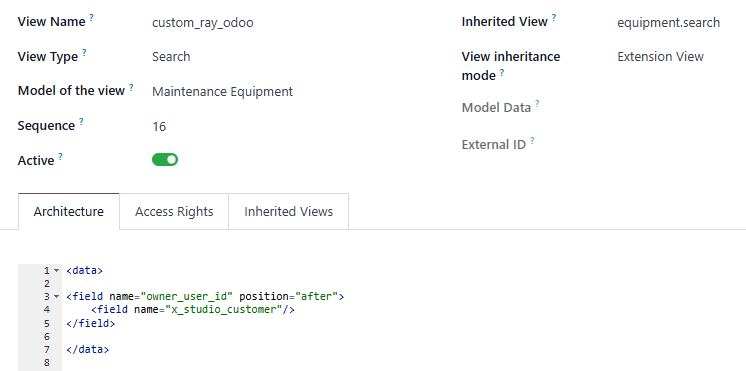
<field name="owner_user_id" position="after">
    <field name="x_studio_customer"/>
</field>
Note: We are assuming your new field is called x_studio_customer but you should check and change the name if it is different. This XML is telling Odoo, "Go find the owner_user_id field in the regular equipment.search view and add our field AFTER it".
Once this is working, we can add a button that opens the List from the Sales Order.
2. Next, we need a button to open the Equipment List
Create your own custom View that inherits the Sale Order Form View and adds the Action to open Equipment:
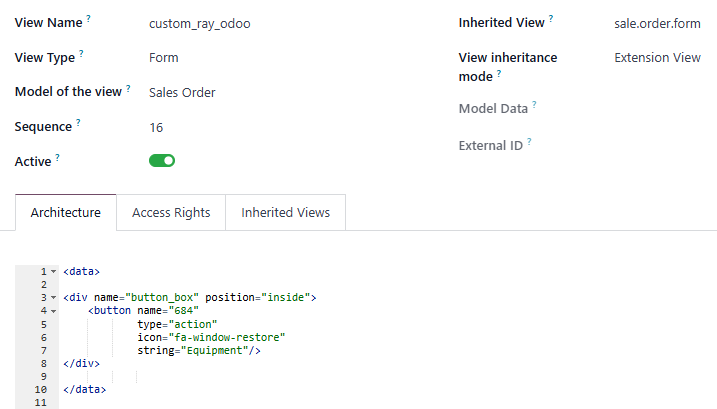
<div name="button_box" position="inside">
    <button name="684"
            type="action"
            icon="fa-window-restore"
            string="Equipment"/>
</div>
The 684 here comes from the URL when you are looking at the Equipment List. For example, once you click the Smart Button you already created on the Customer, you can review the ID on the right hand side of "action-" to get the ID for your database.

This XML is telling Odoo, "Go find the button_box in the regular sale.order.form view and add our button INSIDE it".
Once this is working, we can add a line that sends the ID of the Customer on the Sales Order to the List.
3. Finally, modify the View to filter the List by the current Customer:
Add the following line to the bottom of your second Custom View:
context="{'search_default_x_studio_customer': partner_id}"This XML is telling Odoo, "On the Search View, set the DEFAULT value of our field to the Customer on the Sales Order".
Final XML:
<button name="684"
        type="action"
        icon="fa-window-restore"
        string="Equipment"
        context="{'search_default_x_studio_customer': partner_id}"/>
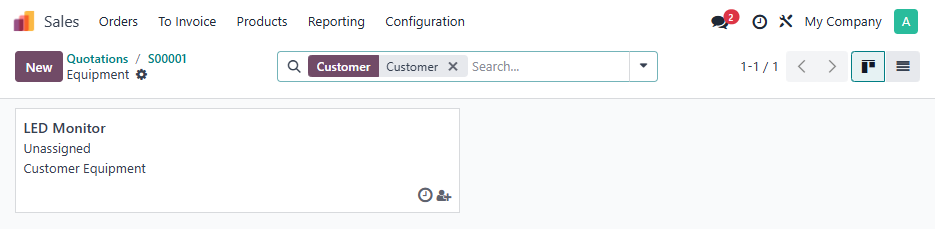
Result:
Your Odoo Implementation Consultant or Odoo Partner can help you if you don't have the technical skills to do this.