


You can customize the Subject of the Email.
This is covered in our eLearning:
3 minutes and 41 seconds in
You can customize the Subject of the Email.
This is covered in our eLearning:
3 minutes and 41 seconds in
Hi Patrik,
this is absolutely expected default behavior of the system.
To change the subject of the email, you just need to click on the "Full Composer" icon in the chatter.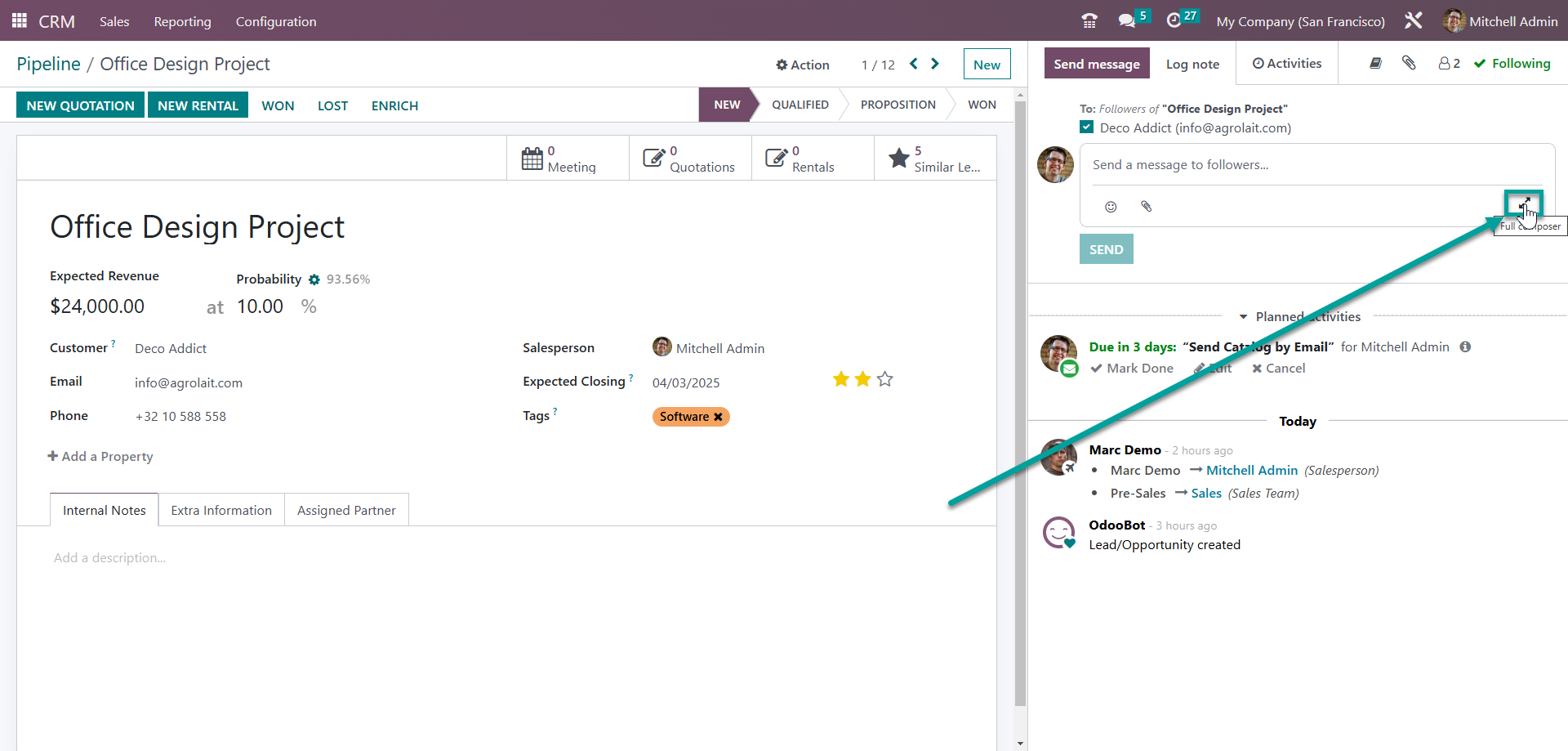
After that, the system return the "Compose Email" wizard, where you can edit subject.
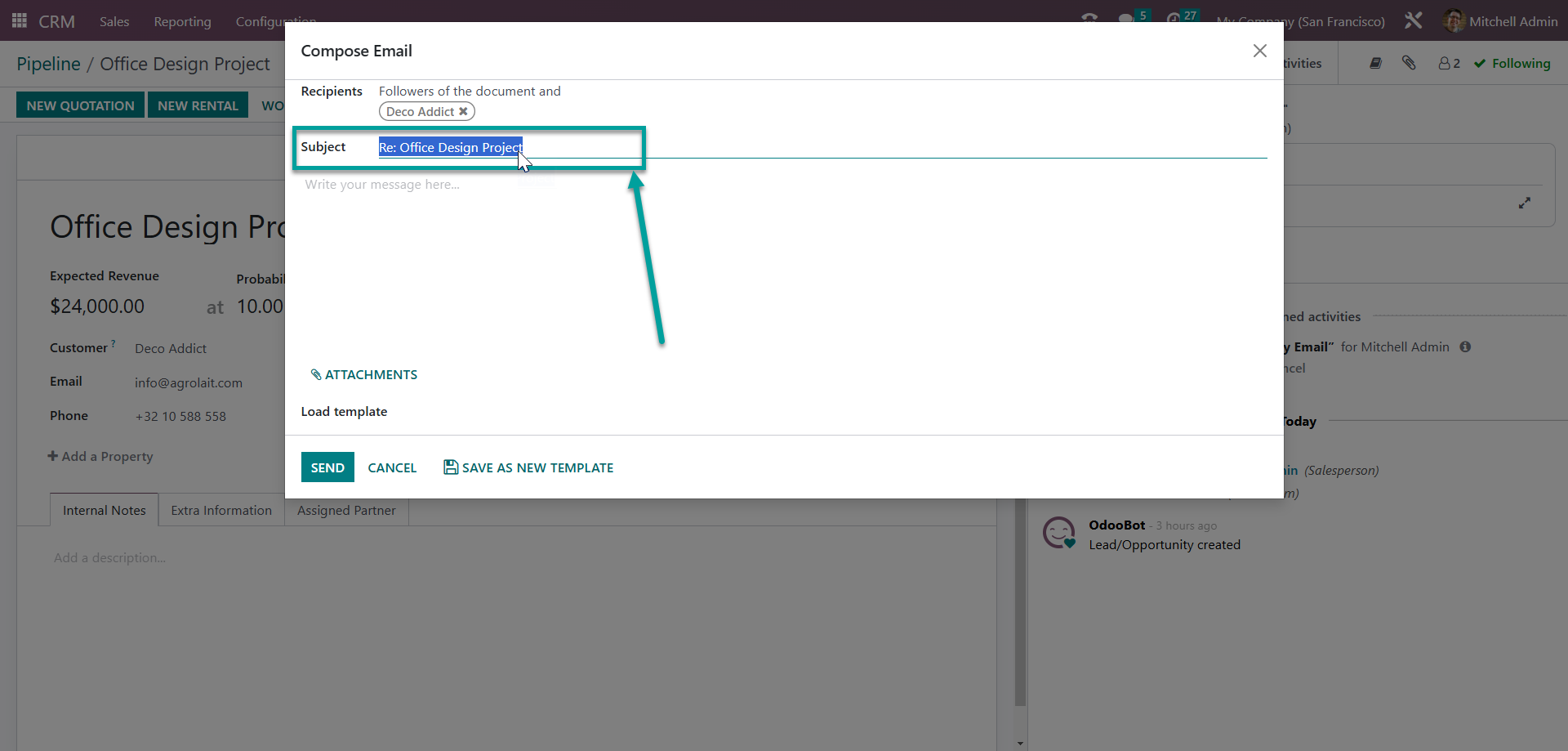
In the future, you need to do the same thing (change subject) every time you want to add email to the same thread.
If you do not change the subject when replying to each email, then Odoo will send a email with the subject "Re:..."
Hope it helps